 surtly
Print and export records
Download operational data and print order documents.
Print an order
Open an uncancelled order and select Invoice or Packing. Review the print view, then print or save a PDF through your browser. The warehouse's invoice code is part of its document identification; maintain it in Locations.
The print controls are for order records, not every inventory movement. Check the saved amounts and current currency before sharing the document.
| Document | Contents |
|---|---|
| Invoice | Products, quantities, prices, and monetary totals, with a tax breakdown when enabled. |
| Packing | Products and quantities, with prices and monetary totals hidden. |
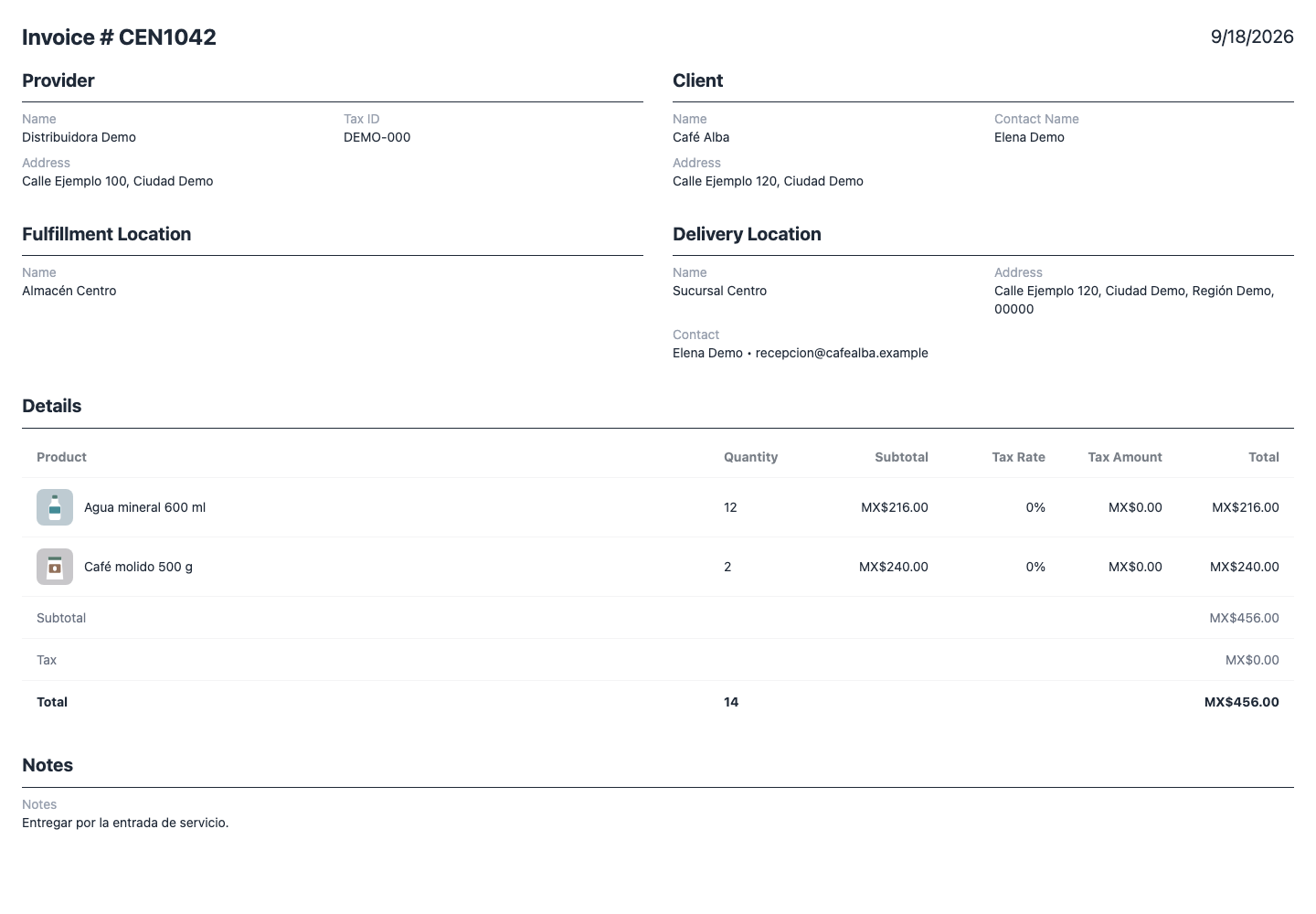
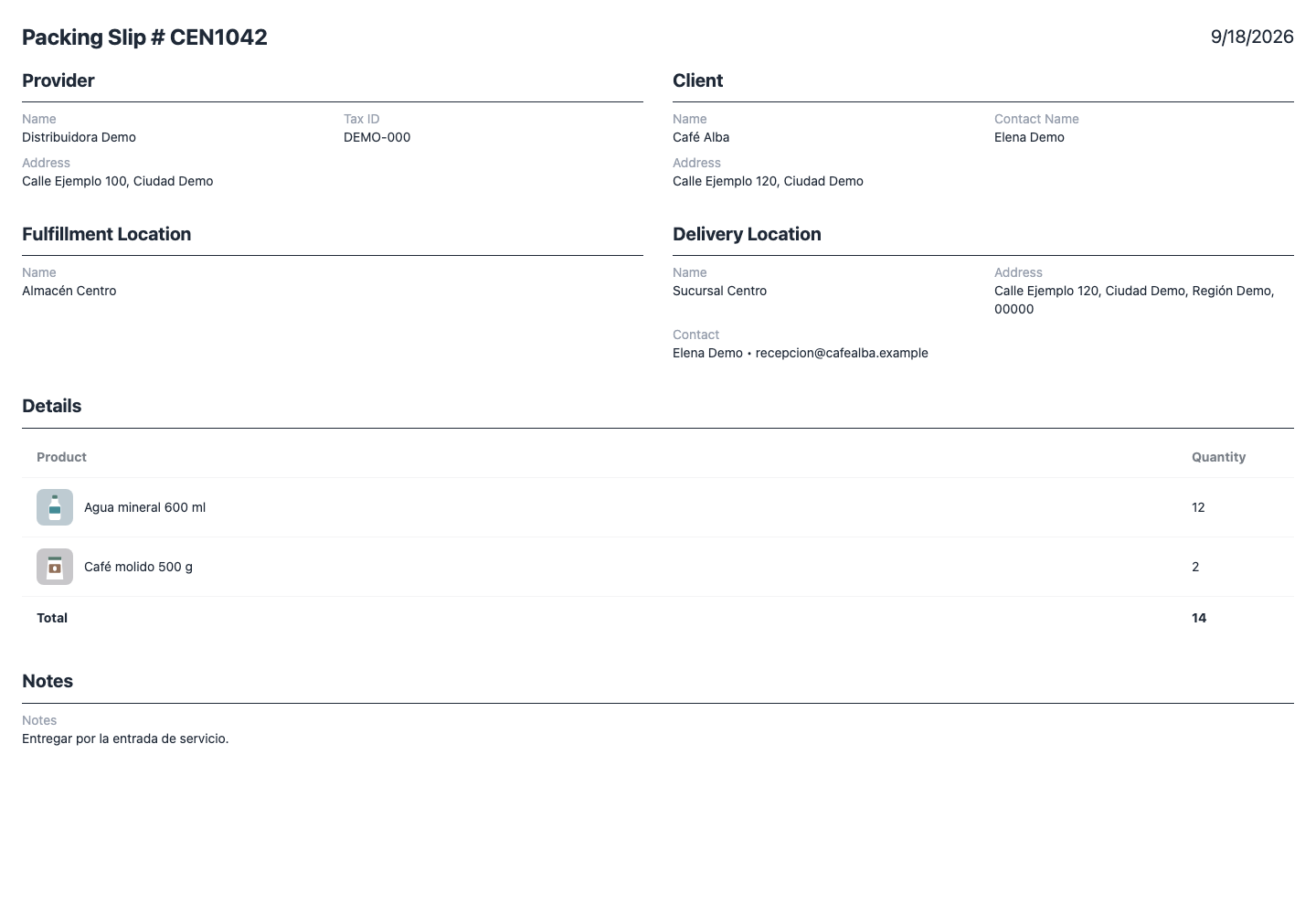
The document identifier joins the warehouse's Invoice code directly to the order ID: CEN + 1042 becomes CEN1042, while CENTRO- + 1042 becomes CENTRO-1042. It is not a separate invoice sequence. The print view reads the current warehouse code, so changing it can change an older order's identifier when reprinted.
Maintain your business tax ID and address in Settings, and the client's name, tax ID, and address in Clients. Review those fields and the saved delivery destination in the print view before sharing.
Export data
| Screen | Export content and scope |
|---|---|
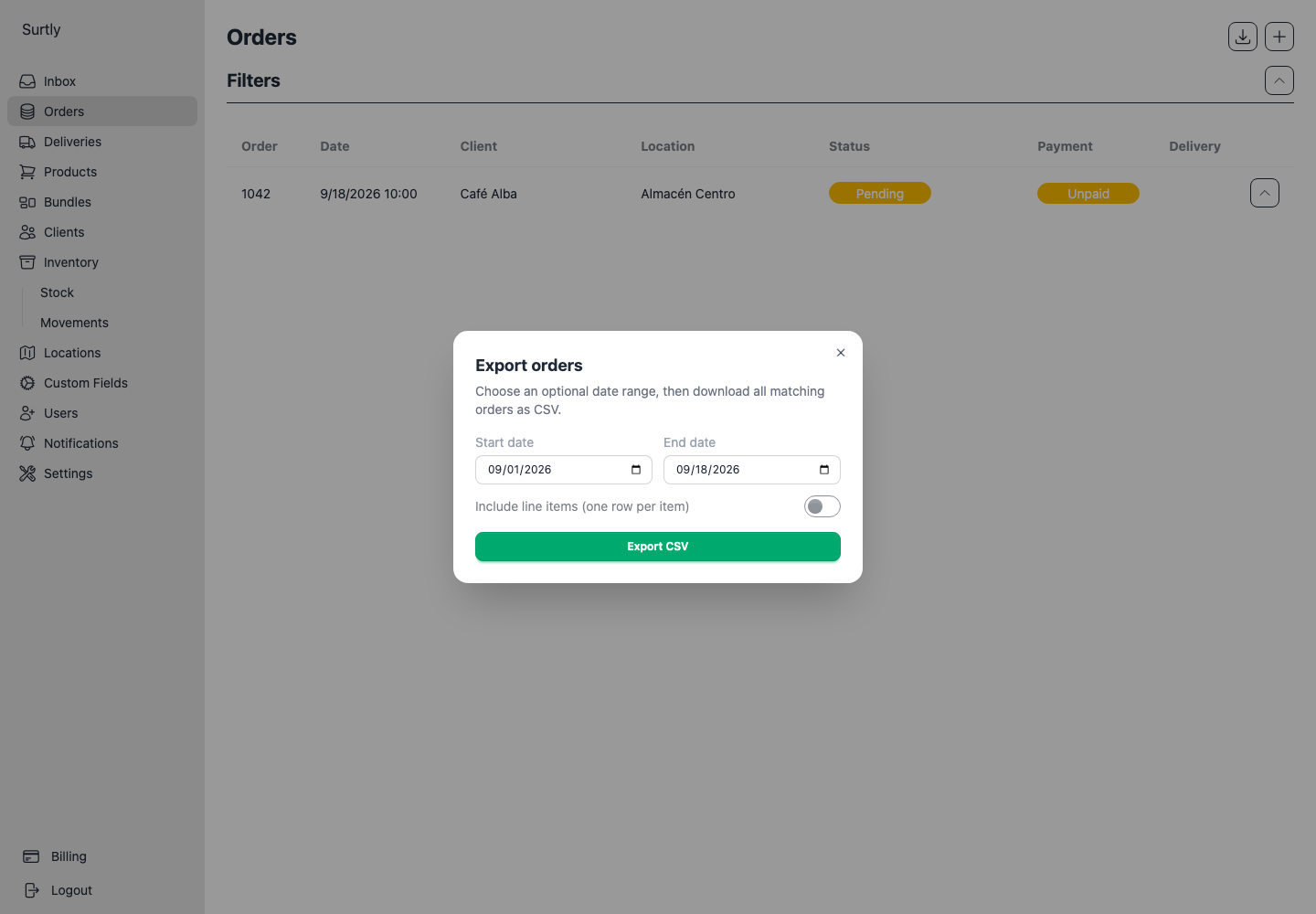
| Orders | Set client, warehouse, status, and payment filters on the Orders list first. In the export dialog, choose the date range and whether to include line items. |
| Clients | Download matching clients with custom fields and delivery-address columns. Review active list filters. |
| Movements | Export matching movement line items. Review the selected history filters. |
Exports retrieve matching pages, not just the rows currently visible on screen. A client with multiple delivery addresses may have additional address columns in the CSV. Review the exported headings before importing into another tool.
Inventory templates are different
An inventory CSV template is designed for stock updates and uses active-product, active-warehouse, and stocked-location eligibility. It is not a general export of every historical stock location.
For large exports, allow the download to finish before requesting another copy. If the data looks incomplete, check filters and eligibility first.