 surtly
Configure notifications
Subscribe to business events by email or webhook and inspect deliveries.
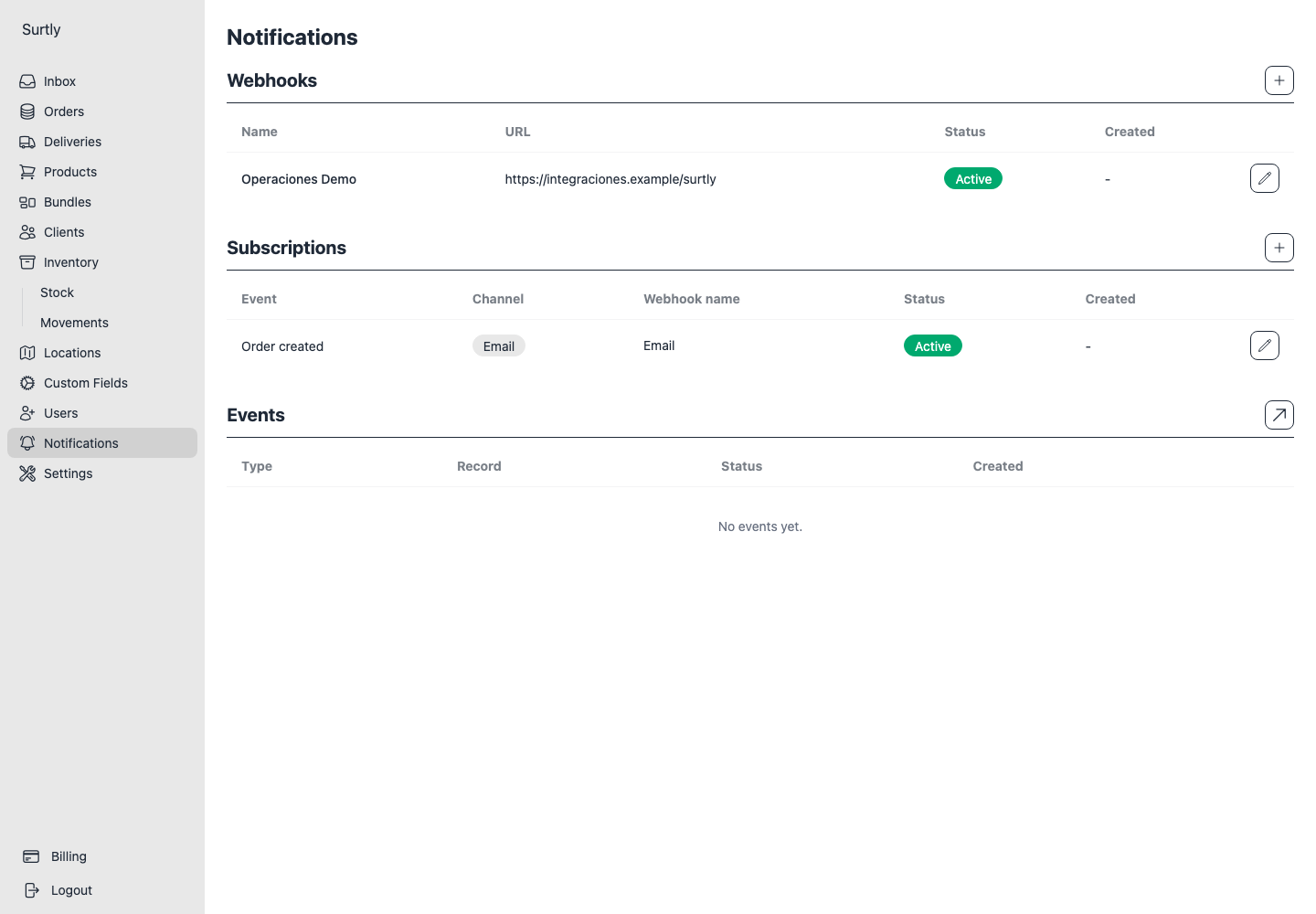
Choose an event and channel
Open Notifications. Create a subscription, select an event, and choose email or an existing webhook endpoint. Save and enable it. The available events cover:
- Order created, fulfilled, and cancelled.
- Delivery created, enroute, completed, failed, and cancelled.
- Payment created and refunded.
Enroute corresponds to a delivery marked Dispatched. After creating a subscription, only its Active state is editable; create a replacement subscription to change its event, channel, or target.
Email recipients and language
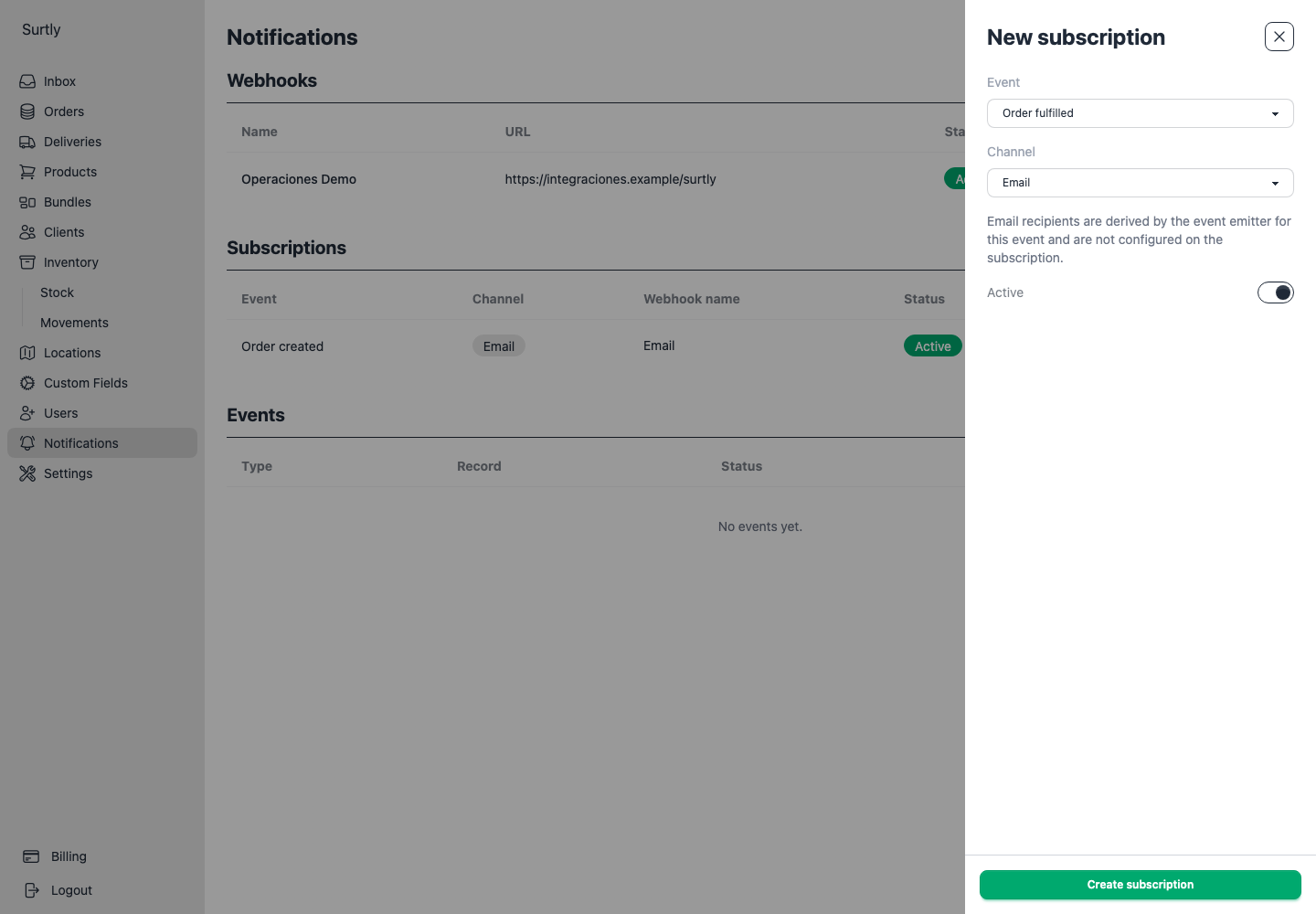
Email recipients come from the provider's primary email and the client's email when available. The delivery-location contact email is not the recipient source. This is not a free-form recipient list.
Set English or Spanish notification copy in business settings. Check those email addresses when an expected notification is missing.
Add a webhook endpoint
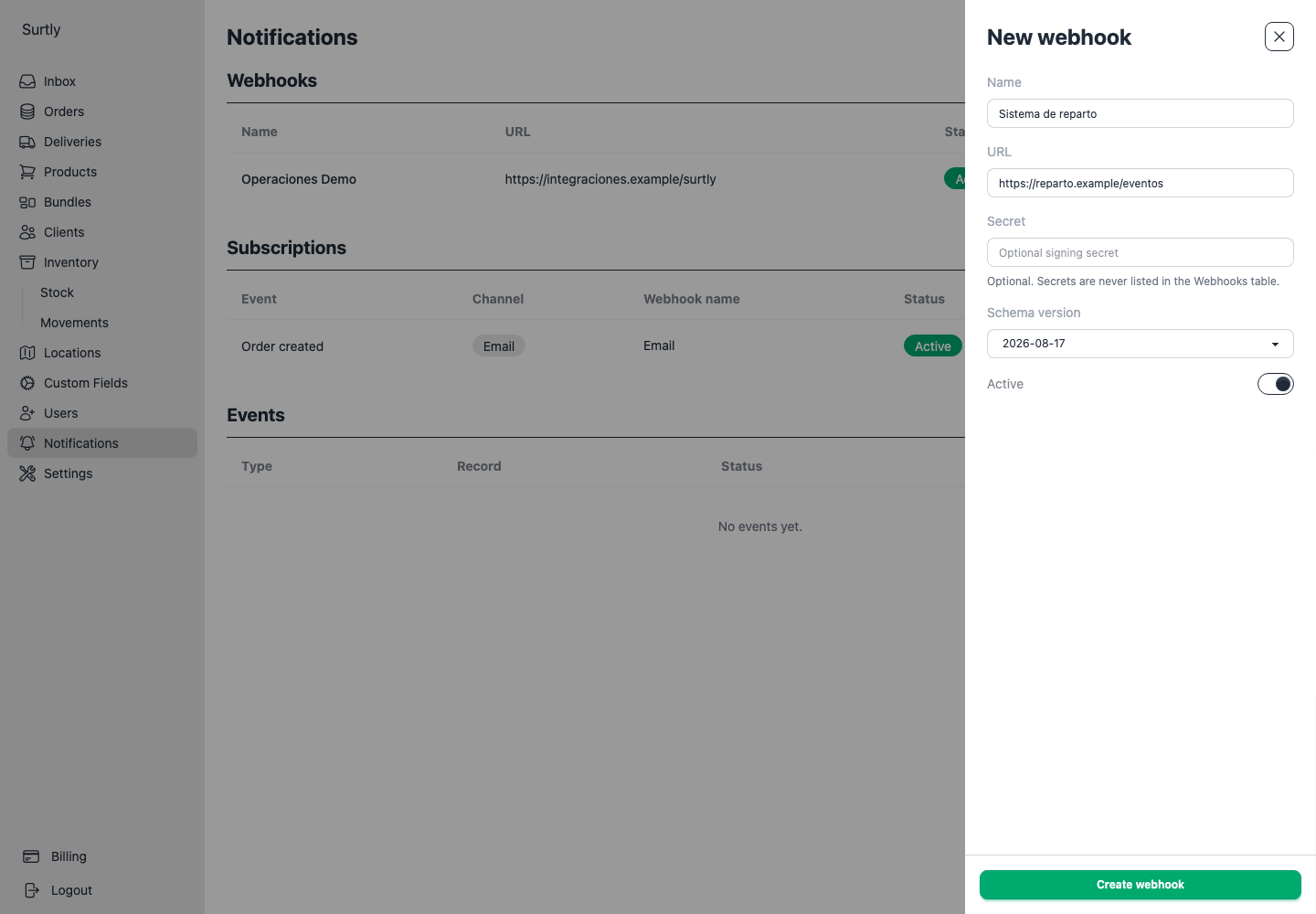
Create an endpoint with a name, HTTPS URL, active state, optional secret, and schema version. The editor offers versions 2026-05-14 and 2026-08-17. Match the selected version to what your receiving system expects. Leaving the secret blank while editing keeps the existing secret.
Assign the endpoint to an event subscription and keep both active. Use the receiver reference to implement the selected schema and verify signatures in your integration.
Inspect event history
Open Events from Notifications for the full history, or use the recent-events list. Expand an event with its chevron to see each email or webhook send. Review the channel, saved recipient or URL, delivery status, attempt count, delivered time, and last error. Events without delivery records have no expand control.
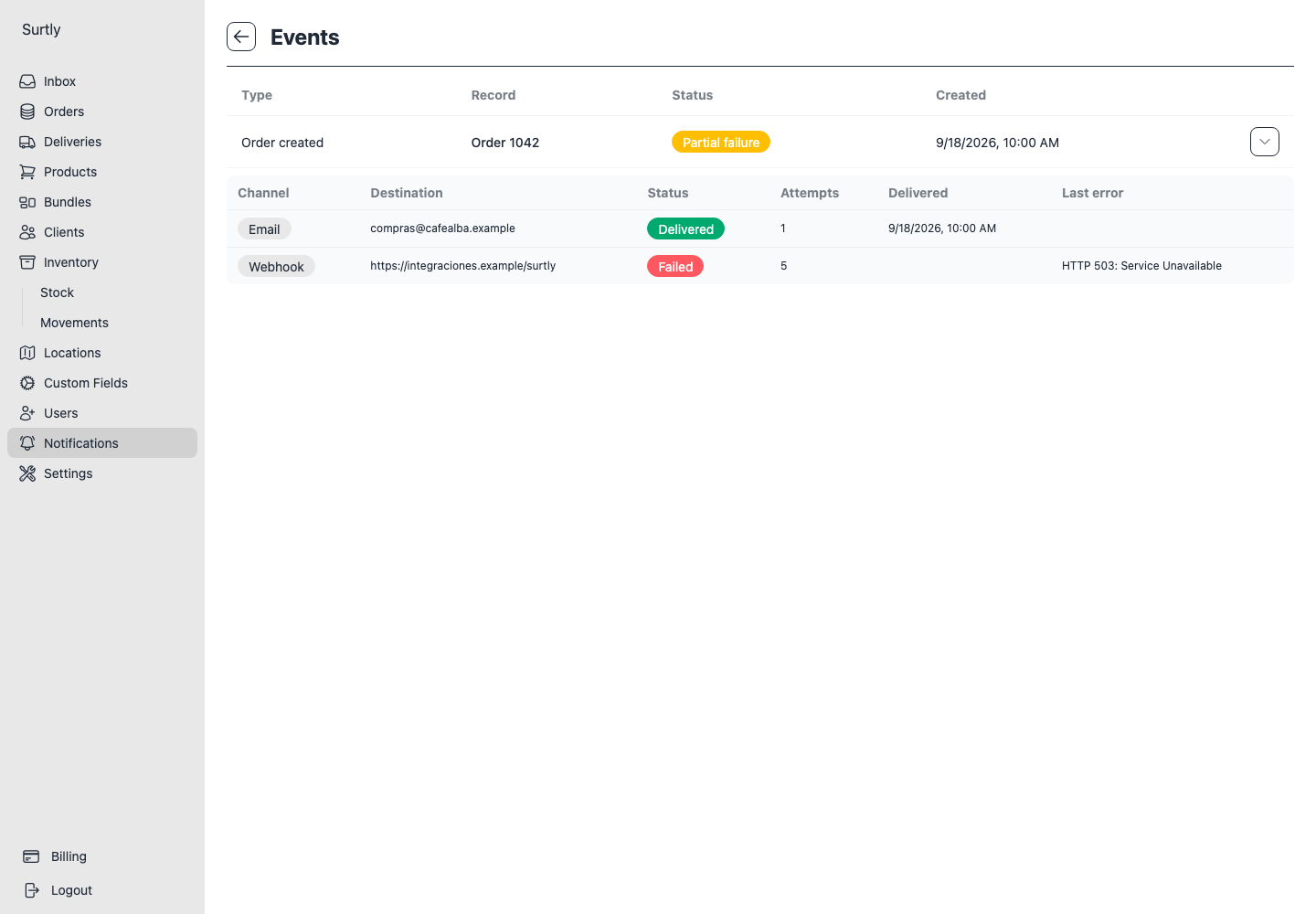
These statuses describe notification sends, separately from physical order deliveries:
| Event status | Meaning and next step |
|---|---|
| Pending | Event processing has not finished. Check again later. |
| Skipped | The event was marked as skipped during processing. Check whether it was intended to trigger a notification. |
| No deliveries | Processing finished without creating any delivery records. Review the applicable subscriptions, active settings, and available recipients; this is not by itself a failed webhook. |
| Pending delivery | At least one send is pending, possibly awaiting an automatic retry. Expand the event to inspect it. |
| Delivered | All recorded sends succeeded. |
| Failed | All recorded sends failed. Inspect each last error and destination. |
| Partial failure | Some recorded sends succeeded and others failed. Expand the event to identify which channel or recipient needs attention. |
For a failed webhook, check the endpoint URL and receiving service. For email, check the saved recipient and error. The provider interface has no send-test or manual-retry control. A successful notification status confirms the sending system's result; it does not confirm that a person read the message.
Change settings with notifications already queued
Each created webhook delivery saves its URL, secret, schema version, and payload. Retries use that saved configuration. Editing or deactivating an endpoint or subscription affects future delivery creation; it does not rewrite or recall sends that were already queued. Email retries likewise use their saved recipients and content.
When changing a URL or rotating a secret, account for pending sends that still use the old settings. There is no queue-cancellation action in the provider interface. The webhook receiver reference explains signature verification, schemas, timeouts, and retries.