 surtly
Receive webhooks
Implement event payloads, signature verification, and reliable webhook handling.
Use this reference when connecting your own system. For endpoint and subscription setup, start with Notifications.
Configure the receiver
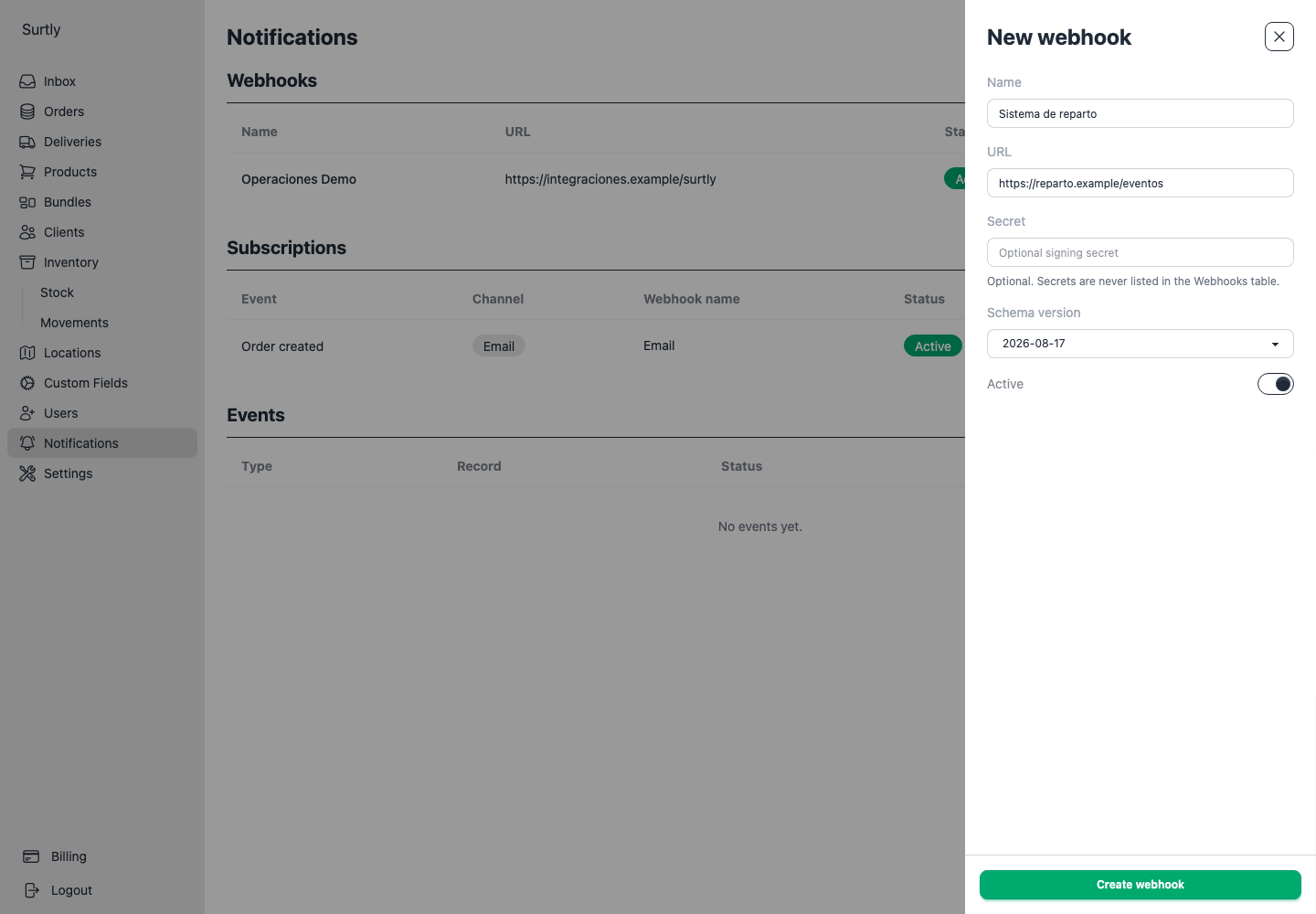
Create a reachable HTTPS endpoint that accepts JSON POST requests. In Notifications, save its URL, select a schema version, and configure a secret if your receiver will verify signatures. Then create and enable subscriptions for the required events. An active endpoint alone does not subscribe to events.
Events and payload structure
Every body includes schema_version, event_type, and occurred_at (the event's creation timestamp). Event and provider identifiers are also sent in headers. The payload is a saved event snapshot, not a fresh read of the record at each retry.
| Event types | Business data at the body root |
|---|---|
order.created, order.fulfilled, order.cancelled | order |
delivery.created, delivery.dispatched, delivery.completed, delivery.failed, delivery.cancelled | delivery, containing its order |
payment.created, payment.refunded | order and payment |
The UI's Enroute event uses delivery.dispatched; a successful physical delivery uses delivery.completed. Parse IDs as identifiers, not sequence counters. Client IDs can be UUIDs.
Schema 2026-08-17
The following order shape appears at order for order/payment events and at delivery.order for delivery events:
| Fields | Contents |
|---|---|
id, created_at, transaction_type, cancelled, fulfilled | Order identity, creation timestamp, transaction type, and state flags. |
subtotal_cents, tax_cents, total_cents | Saved monetary amounts in cents. |
payment | paid_cents, owed_cents, and currency. This is the order balance summary. |
client | id, name, email, tax_id, billing_address, and metadata. Optional contact fields can be null. |
provider | id and name. |
location | Fulfillment warehouse id and name, or null. |
delivery_location | Saved destination, or null. Fields: name, address, notes, address_line1, address_line2, address_city, address_region, address_postal_code, contact_name, contact_phone, contact_email. Individual values can be null. |
notes | Order notes, or null. |
line_items | Product rows with id, quantity, unit_price_cents, subtotal_cents, tax_cents, total_cents, and product. |
Each row's product | id, name, and metadata. |
Client/product metadata objects use custom-field labels as keys and can be empty. Read the supplied currency; do not assume every provider uses MXN. Attachments are not included in these payloads.
An order.created example with fictional data and no saved delivery destination:
{
  "schema_version": "2026-08-17",
  "event_type": "order.created",
  "occurred_at": "2026-09-18T16:00:00.000Z",
  "order": {
    "id": 1042,
    "created_at": "2026-09-18T16:00:00.000Z",
    "transaction_type": "ORDER",
    "cancelled": false,
    "fulfilled": false,
    "subtotal_cents": 4000,
    "tax_cents": 0,
    "total_cents": 4000,
    "payment": {
      "paid_cents": 0,
      "owed_cents": 4000,
      "currency": "mxn"
    },
    "client": {
      "id": "00000000-0000-4000-8000-000000000011",
      "name": "Café Alba",
      "email": "compras@cafealba.example",
      "tax_id": null,
      "billing_address": "Calle Ejemplo 120, Ciudad Demo",
      "metadata": {}
    },
    "provider": {
      "id": 1,
      "name": "Distribuidora Demo"
    },
    "location": {
      "id": 1,
      "name": "Almacén Centro"
    },
    "delivery_location": null,
    "notes": "Preguntar por Elena.",
    "line_items": [
      {
        "id": 1,
        "quantity": 2,
        "unit_price_cents": 2000,
        "subtotal_cents": 4000,
        "tax_cents": 0,
        "total_cents": 4000,
        "product": {
          "id": 101,
          "name": "Agua mineral 600 ml",
          "metadata": {}
        }
      }
    ]
  }
}
Delivery events wrap the order in delivery, alongside id, created_at, updated_at, status, and nullable delivery notes. Delivery status values are pending, dispatched, success, fail, or cancelled.
Payment events include a separate root payment object with id, kind, status, source, amount_cents, currency, external_object_type, and external_object_id. These describe the payment record that triggered the event. Distinguish this object from order.payment, which summarizes the order's balance. External reference fields may be null for manual records.
Schema 2026-05-14 and migration
Both versions support the same event types and envelope fields. Compared with 2026-08-17, the older schema omits:
delivery_locationandclient.billing_addressfrom every embedded order.- Order
notesandline_itemsfrom delivery and payment events. Order events retain those two fields.
Make the receiver tolerate nullable fields and unknown additional fields. To migrate, add support for both versions, select the new version in the endpoint editor, and confirm incoming schema_version values. Already-created deliveries keep their old schema, so do not immediately remove support for it.
Request headers
| Header | Value |
|---|---|
content-type | application/json |
x-enlazado-event-id | Stable event identifier across attempts. |
x-enlazado-event-type | Event type, such as order.created. |
x-enlazado-provider-id | Provider ID as text. |
x-enlazado-timestamp | ISO timestamp generated for this attempt. |
x-enlazado-signature-version | v1 |
x-enlazado-signature | Hexadecimal HMAC-SHA256, present only when the endpoint has a secret. |
The header names retain the enlazado prefix. The attempt timestamp differs from the body's occurred_at and is regenerated on retries.
Verify the signature
Compute HMAC-SHA256 with the configured secret over the timestamp, a period, and the exact raw request body bytes. Compare the hexadecimal signature using a constant-time comparison. Do this before parsing JSON: parsing and serializing again can change whitespace or character encoding and invalidate the signature.
This Node.js example expects a raw Buffer and a lower-case header map, as provided by Node's HTTP server. Its five-minute clock tolerance is a recommended receiver policy, not a restriction enforced by Surtly. Keep the receiver's clock synchronized.
import { createHmac, timingSafeEqual } from 'node:crypto';

export function verifyWebhook(rawBody, headers, secret, now = Date.now()) {
  const timestamp = headers['x-enlazado-timestamp'];
  const signature = headers['x-enlazado-signature'];
  if (!Buffer.isBuffer(rawBody) || typeof secret !== 'string' || !secret) return false;
  if (headers['x-enlazado-signature-version'] !== 'v1') return false;
  if (typeof timestamp !== 'string' || typeof signature !== 'string') return false;
  if (!/^[a-f0-9]{64}$/i.test(signature)) return false;

  const sentAt = Date.parse(timestamp);
  if (!Number.isFinite(sentAt) || Math.abs(now - sentAt) > 5 * 60_000) return false;

  const expected = createHmac('sha256', secret)
    .update(timestamp + '.')
    .update(rawBody)
    .digest();
  const supplied = Buffer.from(signature, 'hex');
  return supplied.length === expected.length && timingSafeEqual(supplied, expected);
}
Configure your framework to preserve the raw body before JSON middleware runs. A receiver that requires signed requests should reject a missing signature and use an endpoint with a secret configured. The signature covers the timestamp and body; the other headers are not part of the signed input. Validate the body event type and provider against the integration you configured instead of treating unsigned routing headers as authorization.
After verification, parse JSON and validate the schema/event type you support. Persist the event durably or put it in a durable queue before acknowledging it. Apply duplicate handling before repeating business actions.
Acknowledge and handle duplicates
Return an HTTP 2xx response within 10 seconds to acknowledge receipt. Process slow work from your own queue. If you accept an event but its response is lost, Surtly may send it again; do not assume exactly-once delivery or event ordering.
Use the configured provider and x-enlazado-event-id to track successfully accepted events. Return 2xx for an already-accepted duplicate without repeating the action. Retried requests retain the event ID and saved payload, while the attempt timestamp and signature change. If several subscriptions route the same event to your system, decide whether they should share that deduplication record.
Retry policy and configuration changes
| Result | Behavior |
|---|---|
| HTTP 2xx | Delivered; no further automatic attempt. |
| HTTP 408, 425, 429, or 5xx; network error or timeout | Retry while attempts remain. |
| Other unsuccessful HTTP status | Failed without an automatic retry. |
A delivery gets at most five total attempts: the first send plus up to four retries. The delays after failures are approximately 1 minute, 5 minutes, 15 minutes, then 60 minutes, measured from each failed attempt. The retry job checks due work every minute, so these are scheduled delays rather than exact arrival times. After the last failed attempt, the delivery is marked Failed.
Each delivery stores its destination URL, encrypted secret, schema version, and payload. Updating or deactivating the current endpoint or subscription does not change or cancel already-queued deliveries. Plan URL and secret rotations so your receiver can still handle pending sends that use the previous configuration. There is no queue-cancellation or manual-retry action in the provider UI.
Use event history to inspect individual sends, attempt counts, and last errors.