 surtly
Collect and reconcile payments
Connect Stripe, record manual payments, and understand refunds.
Enable online payments
Open Settings, connect or reconnect Stripe, complete the linked setup, enable payments, and check your payment currency. Use the Stripe account link to open the connected account. Share the client order link so the client can access the available payment option.
Choose currency carefully: changing it does not convert saved amounts and affects new checkouts for existing orders. See business settings.
Record a payment received elsewhere
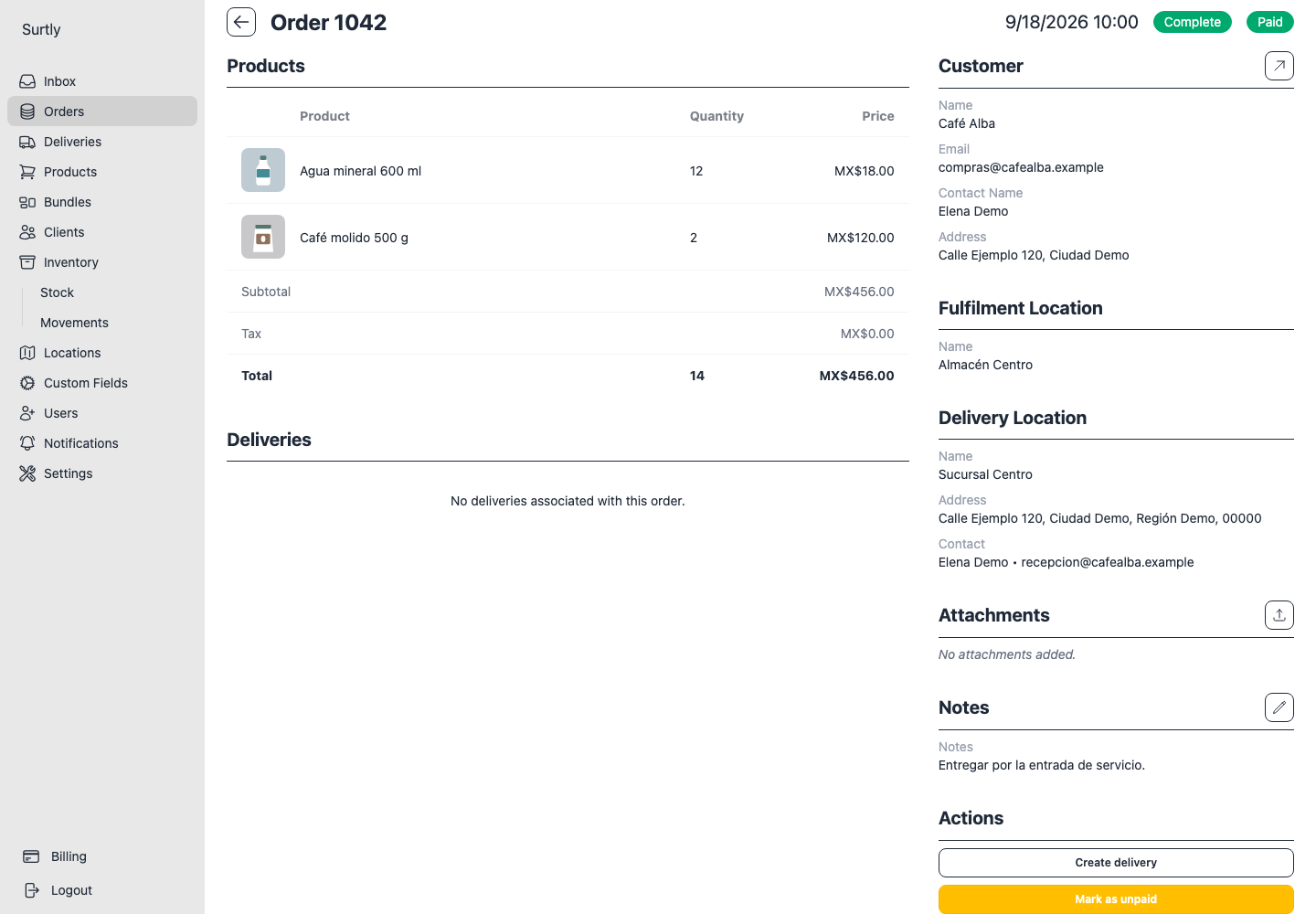
With payments enabled, open an eligible order, choose Mark as paid, and confirm. This records a manual payment; it does not charge a card. The action is offered for a qualifying uncancelled order with no net payment and no Stripe credit history.
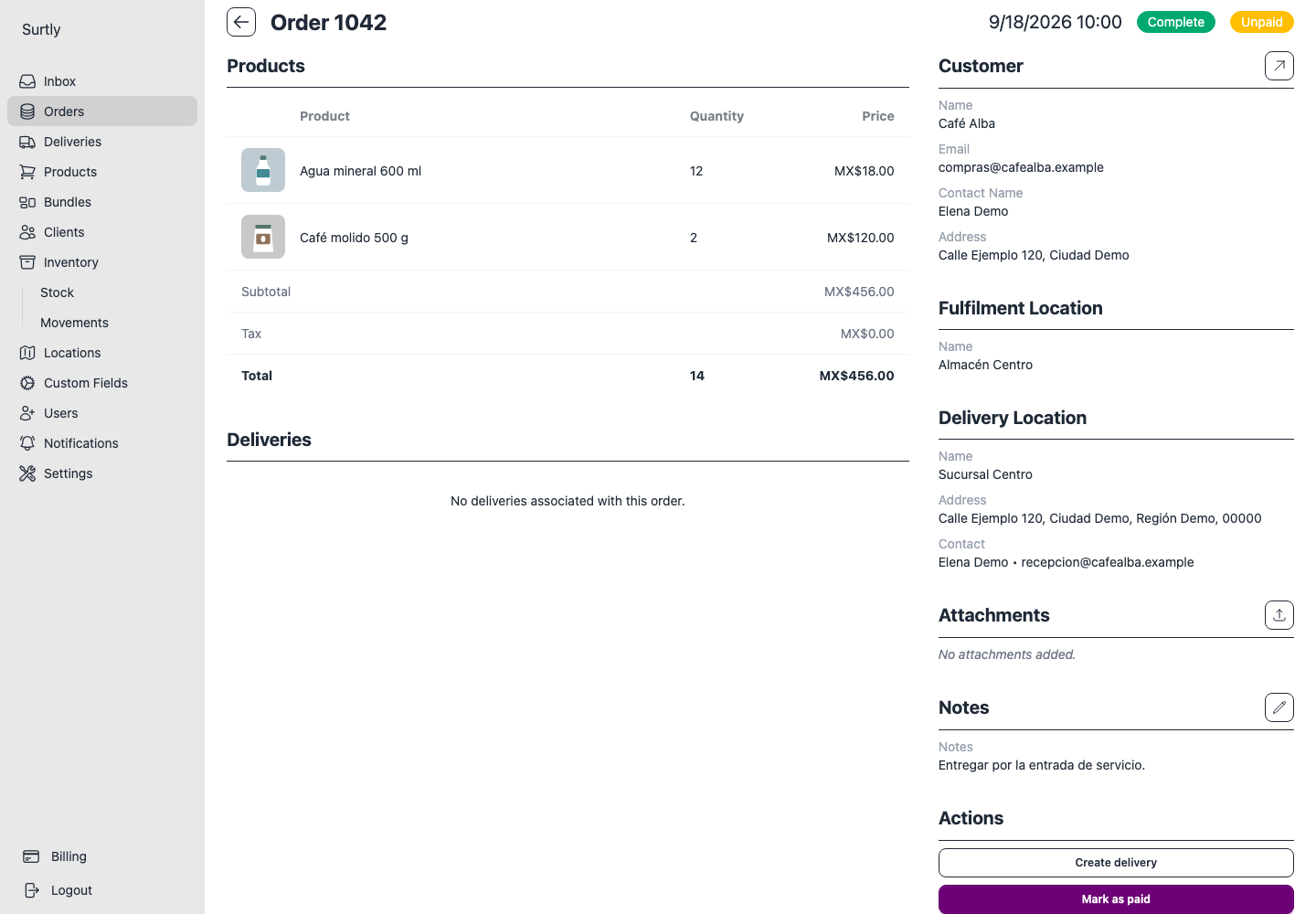
If you recorded a manual payment by mistake, use Mark as unpaid when offered. This reverses the manual record and does not return money through Stripe.
Why a payment action is unavailable
All the actions below apply to customer orders and require payments to be enabled in Settings.
| Action | Additional requirements |
|---|---|
| Mark as paid | An uncancelled customer order, zero net paid, and no history of Stripe payment credits. |
| Mark as unpaid | A positive manual payment balance. |
| Refund payment | A linked Stripe account and a remaining refundable Stripe balance. |
| Client's Pay option | A linked Stripe account, an uncancelled customer order with money owed, and no payment history entries at all. |
Example: reverse a manual payment
For an unpaid order of MXN 456, Mark as paid records MXN 456 received. Mark as unpaid reverses that record, returning the net paid amount to zero. The history remains, so the client's online Pay option does not return. You can record another payment received elsewhere with Mark as paid if the order still meets its requirements.
The same checkout restriction applies after a full Stripe refund: a zero balance does not reset the payment history. A refunded Stripe payment also leaves Stripe credit history, so it does not make Mark as paid available. Review how payment will be collected before reversing or refunding a record.
Refund a Stripe payment
Use Refund payment on an eligible Stripe-paid order. The action requests the remaining refundable amount; this interface does not provide an arbitrary partial-refund amount field. Processing is asynchronous, so review the updated payment status after the payment system confirms the result.
An order can display Unpaid, Paid, Refunded, or Partially refunded depending on its payment history. A displayed status does not imply a separate button exists for every state.
Order cancellation, fulfillment, and delivery are independent from payment. Cancelling an order does not automatically refund it. Provider subscription charges are managed under Billing, separately from client payments.