 surtly
Create an order
Enter an order on behalf of an active client.
Choose the client and destination
- Open Orders → +.
- Choose an active Client. Reactivate an inactive client before creating an order for them.
- Check Fulfilment Location, the warehouse supplying the order.
- If the client has several active delivery addresses, choose a Delivery Location. A single active address is selected automatically.
Staff can explicitly choose any active warehouse, including a private one. A client's address route does not override the staff warehouse selection. Changing the warehouse resets quantities and reloads stock, so choose it before entering the order.
Add products and quantities
Use the product filters, enter whole quantities, and select any offered bundles. Review effective unit prices, taxes, weight where shown, and optional notes. The products must be eligible for the chosen warehouse.
The Status filter starts at Active. To order an inactive product that has a client-specific availability grant, change it to All Products or Inactive. The grant makes the product eligible but does not override this filter.
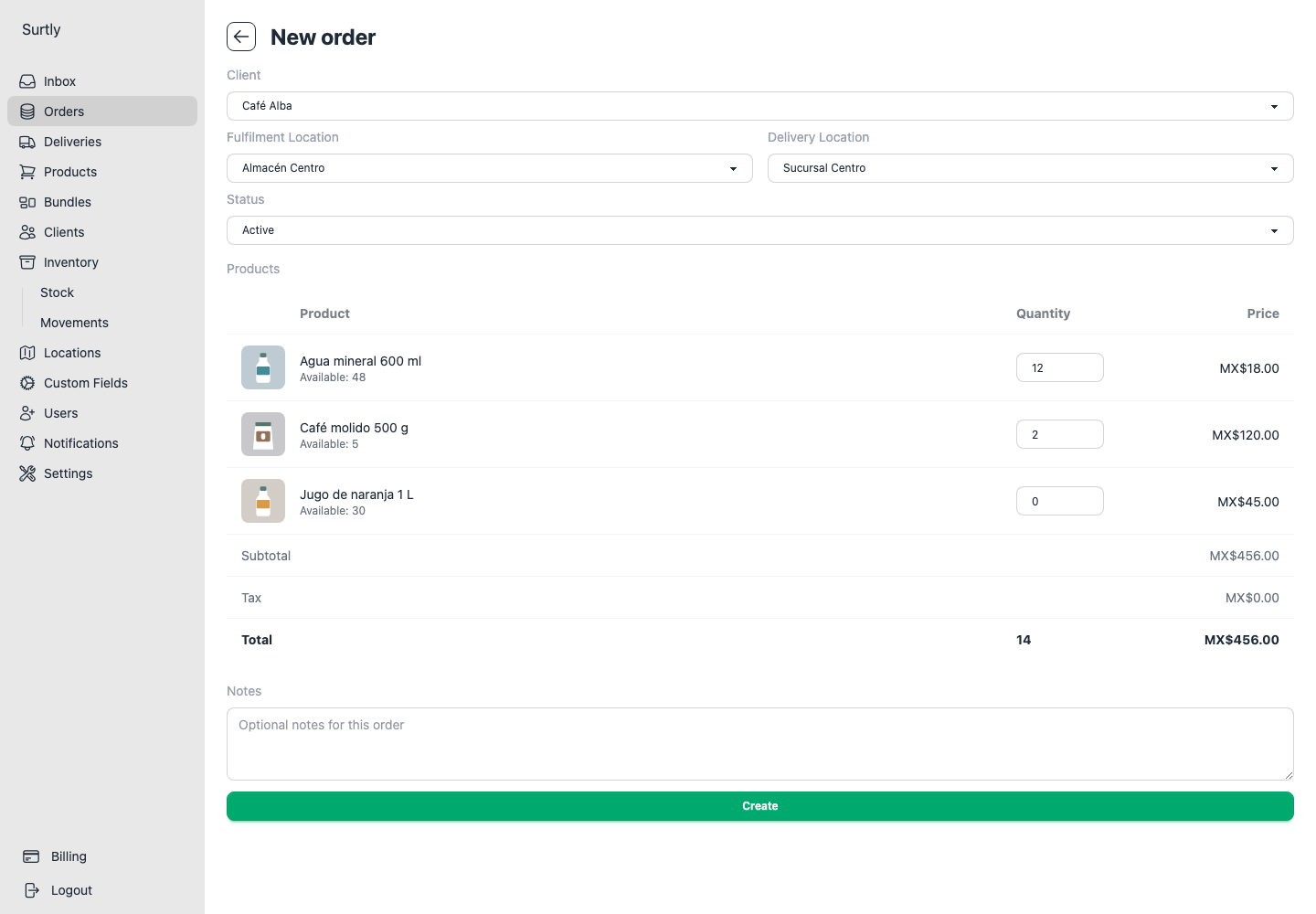
The direct product price is custom price, then an assigned qualifying volume tier, then base price. Bundles use component base prices and bundle discounts. Staff bypass client order-size limits, but active-client, warehouse-scope, and stock checks still apply.
Submit and verify
Select Create, confirm, and open the saved order. Check the destination, line items, and saved total. Draft tax estimates can differ by a cent because of rounding; saved values are the final recorded amounts.
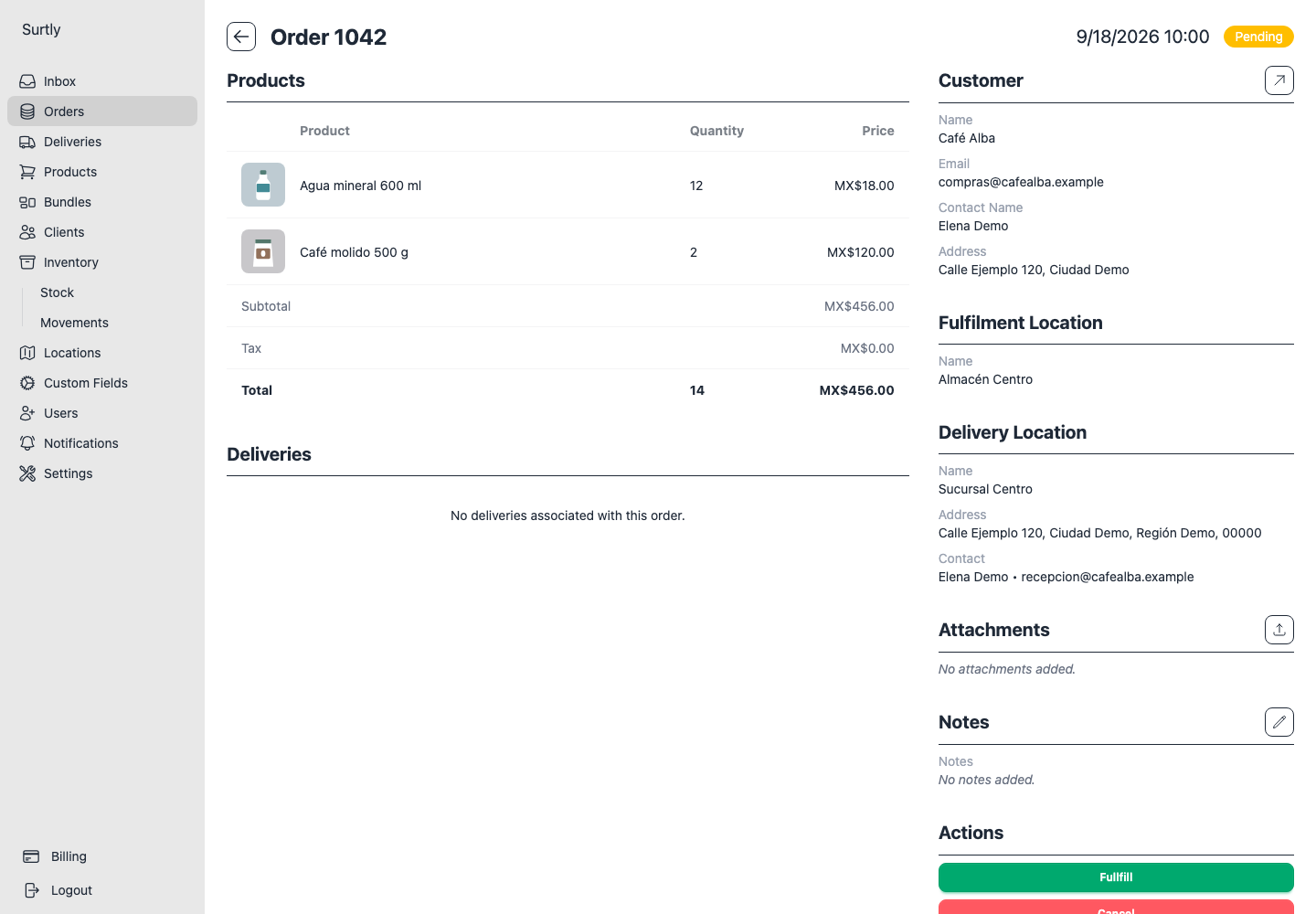
You can edit notes after creation, but there is no line-item or price-editing workflow on the saved order. One order uses one warehouse; stock is not pooled across warehouses. For validation errors, use troubleshooting.