 surtly
Track deliveries
Dispatch an order, record the result, and review its timeline.
Create a delivery
Open a fulfilled, uncancelled order and choose Create delivery when the action is available. The provider interface requires fulfillment before delivery creation. Open Deliveries to filter records by status, client, warehouse, or date, then select a delivery.
Review its products, destination, contact information, order notes, and timeline before dispatching. The destination comes from the saved order snapshot.
Dispatch and record the outcome
You can act directly from a row in Deliveries or the delivery table inside an order. Expand the row with its chevron to inspect product quantities. Hover over a status icon to read its label: Mark dispatched, Mark success, Mark fail, or Cancel delivery. Each action changes that single delivery and offers only the transitions allowed by its current status.
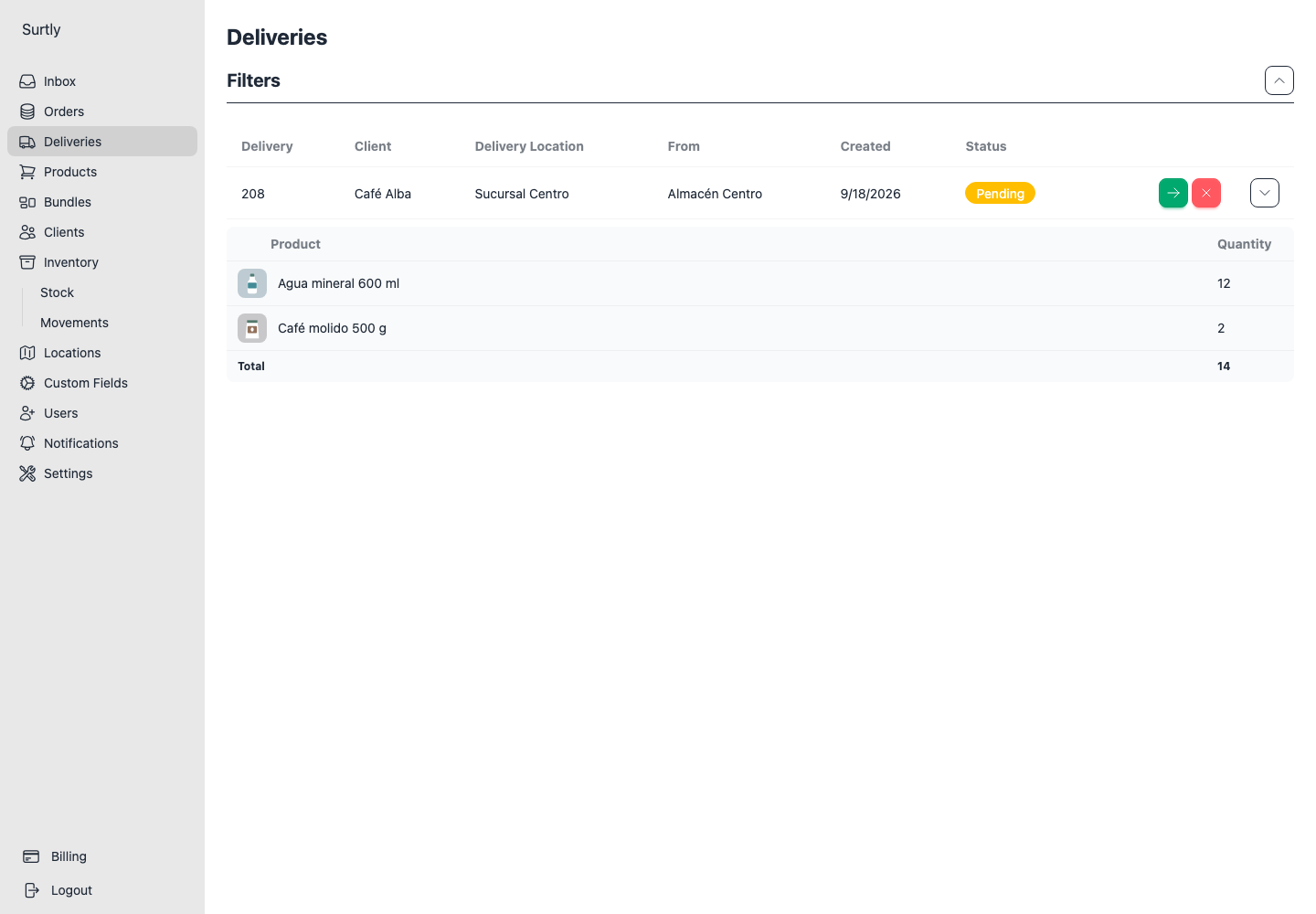
Choose Mark Dispatched and confirm when the delivery leaves. From Dispatched, use Mark Success for a completed delivery or Mark Fail for an unsuccessful attempt. You can cancel a pending or dispatched delivery.
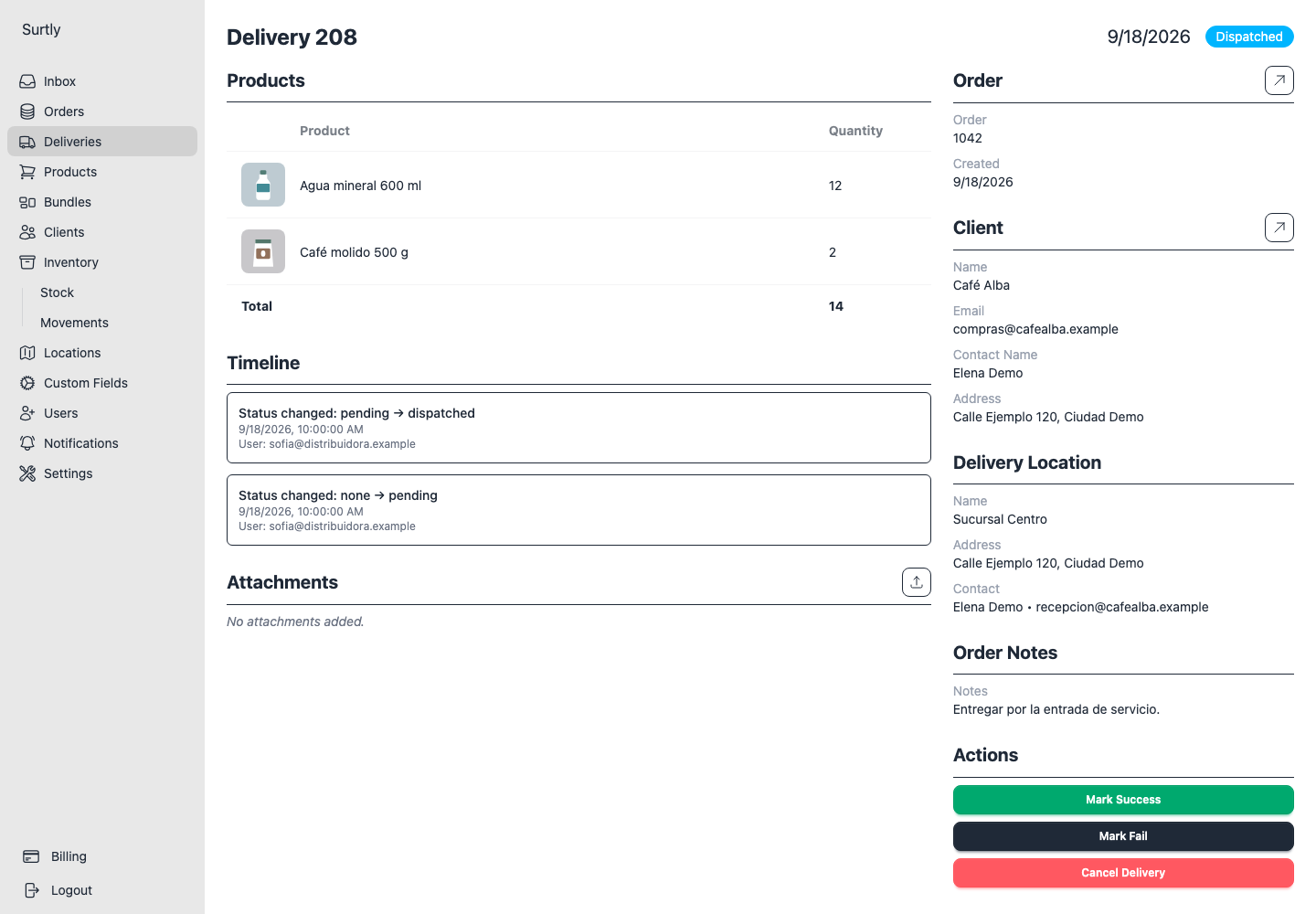
| Current status | Available next states |
|---|---|
| Pending | Dispatched or Cancelled |
| Dispatched | Success, Fail, or Cancelled |
| Success, Fail, Cancelled | Terminal; cannot be reopened |
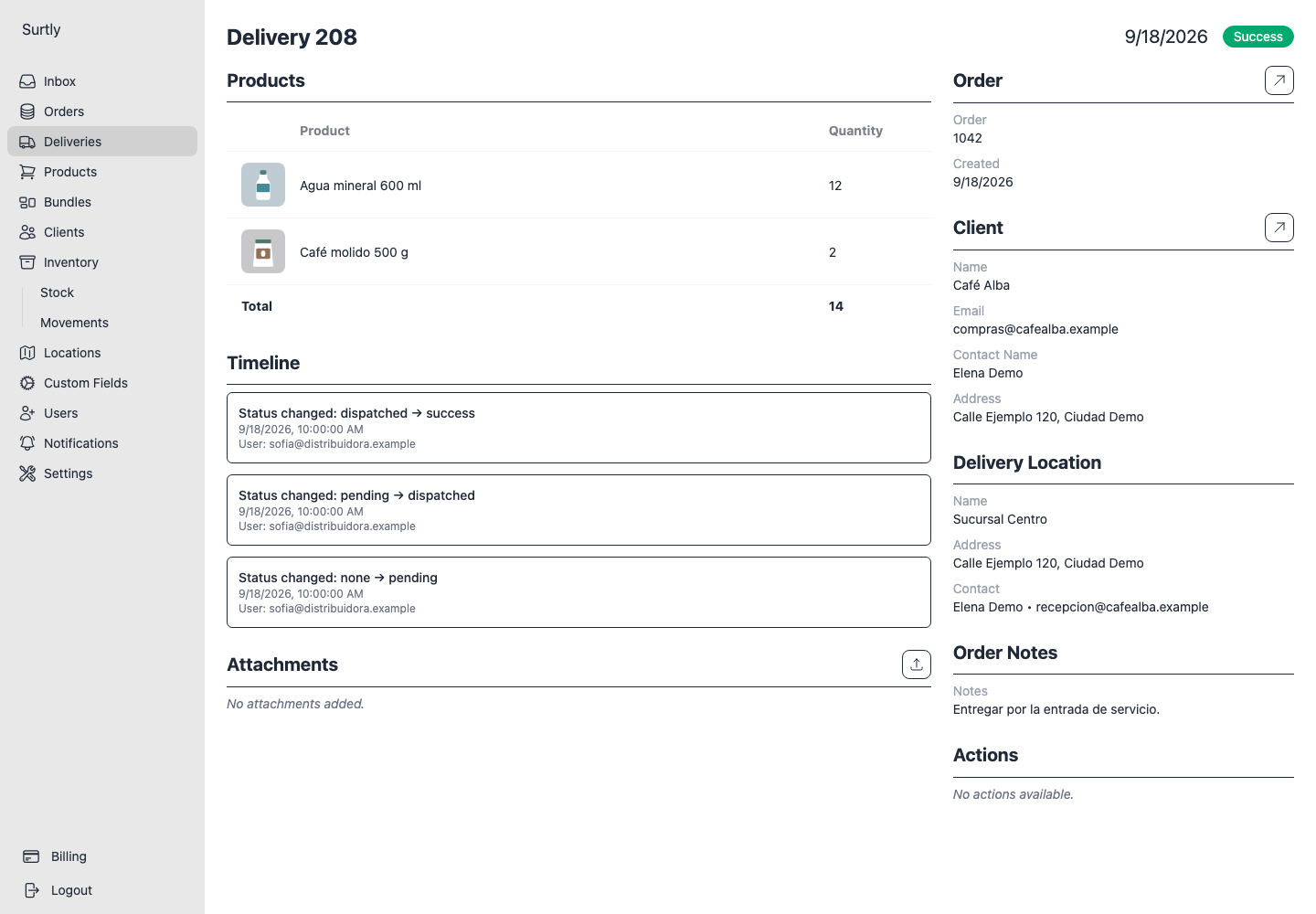
Another attempt and attachments
After a failed or cancelled attempt, create another from the order when the action is available. Only one successful delivery is allowed per order.
Review existing attempts first: the action can also be available while another delivery is pending or dispatched. Creating a new attempt does not close the earlier one.
Attach supporting images or PDFs, download existing files, or remove them. Supported types are PNG, JPEG, WebP, GIF, and PDF, up to 10 MB each. Payment is a separate record; see payments.
Delivery attachments are stored on the delivery; they are not automatically copied to the order. Files added to the order itself can be downloaded by the client. Review order notes and attachment visibility before sharing files.